
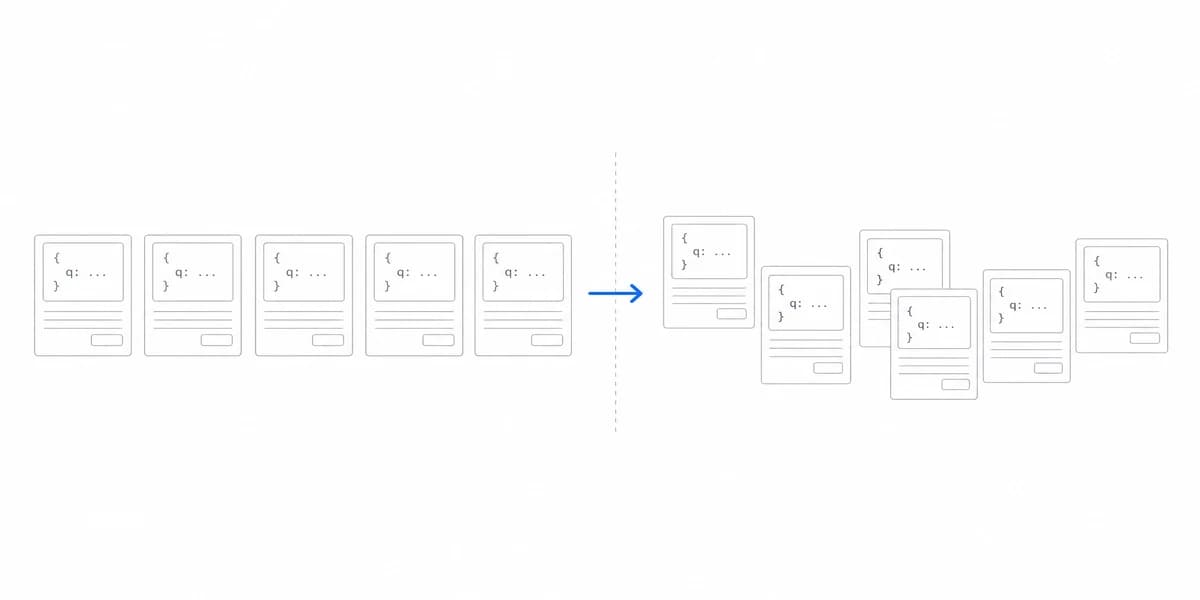
Embedded analytics requests often arrive under one label even though they describe different workflows: a customer answering questions, an account team acting on signals, a partner publishing client reports, or a user checking product consumption.
The first decision is whether one of those workflows has enough evidence and ownership to justify a pilot. If you're new to this space, start by learning what embedded analytics means for modern B2B products.
“Better Reporting” Is Not a Use Case Until It Names a Viewer and a Decision
“Better reporting” is not yet a use case. It must be translated into a viewer, a decision, permitted data, required interaction, freshness, and an owner who can act on the result.
Here's what we're seeing trigger the search for implementation:
Repeated customer requests are one useful signal, but they still need task-level analysis. Similar wording can hide different needs such as scheduled exports, ad hoc filtering, audit evidence, or a billing explanation.
Competitive evidence matters only when the missing workflow appears in recorded deal outcomes or user research. A competitor's dashboard demo does not prove that the same surface belongs in your product.
Monetization is a separate hypothesis. Price packaging, entitlement, perceived value, support cost, and adoption must be tested rather than inferred from the presence of charts.
Delivery time depends on data readiness, authorization, interaction scope, exports, accessibility, operations, and the chosen build or buy boundary. Estimate the same acceptance contract for every approach instead of applying a universal timeline or engineering cost.
Running That Test on the Lists You Will Find Everywhere Else
Search this term and the results announce their format in the title: "20+ Embedded Analytics Examples and Use Cases", "The big book of Embedded Analytics use cases", "Embedded Analytics Examples and Use Cases in 26 ...", where the result snippet cuts off. Length is the promise.
An entry in a list like that usually arrives as an industry plus a noun. "Retail analytics." "Healthcare dashboards." "Logistics visibility." Each one names a market, and the test above asks for two different things: who is looking, and what they do differently afterwards.
Take the retail entry and put it through the test. Who is the viewer, a merchandiser inside your customer's head office or a franchisee running one store? Those two people need different data boundaries, different refresh rates, and, if the franchisee is outside the customer's organisation, a different tenancy model.
Now the decision. A merchandiser deciding next week's allocation needs yesterday's sell-through by SKU and store; a franchisee deciding tonight's staffing needs today's hourly footfall. Same industry, same word on the list, two products.
That is the whole conversion, run once here on one entry. Read an industry label as a question rather than an answer, name the person, name what they do after they look, and the entry either becomes a specification or disappears. A list of twenty that has been through that is worth more than a list of a hundred that has not been asked.
Four Use Cases Separated by Viewer and Data Boundary
The four categories below separate common workflows by viewer and data boundary. They are a practical review tool, not an exhaustive taxonomy or an adoption ranking.
Customer Self-Service: Your Customers Analyse Their Own Data Without Waiting for You
The scenario: Your customers want to analyze their own data without waiting for your team to run custom reports.
Examples include MarTech platforms showing campaign performance, FinTech applications displaying transaction analytics, and HR systems exposing permitted workforce metrics.
The key benefit here is reducing support burden. When customers can filter, drill down, and export their own data, your team stops fielding "can you pull this report for me?" requests. If you tag support tickets, the report-pull category is where this shows up first, and it is worth baselining before launch so the change is measurable rather than anecdotal.
For product managers, the pilot is testable when report-request tickets are tagged before launch and the target tasks have observable completion criteria. A request does not guarantee repeated use.
For engineering teams, implementation still requires an explicit contract for identity, tenant scope, metric definitions, queries, exports, caching, and denial behavior, whether the surface uses an embedded analytics platform or is built in-house.
Row-level filtering is only one enforcement mechanism. The host must prove that the viewer identity and tenant context reach every query and export, and that missing, stale, or privileged context fails as designed.
Account Management: Your Own Teams Need Fresh Visibility Into Customer Health
The scenario: Your internal teams need sufficiently fresh visibility into customer health, usage patterns, or expansion signals to act within a defined window.
Account managers, customer success teams, and sales ops all share the same challenge: they need data to be proactive rather than reactive. Embedded operational dashboards put key metrics directly into the CRM, support platform, or admin panel where teams actually work.
This use case becomes relevant when a manual account review cannot deliver a validated signal before the intervention window closes. Alerts need an owner, suppression rules, freshness, and a recorded outcome; more notifications do not automatically create earlier action.
The testable outcome is earlier, appropriate action: compare signal availability, owner acknowledgement, intervention, and account outcome against the previous workflow without attributing causality from dashboard exposure alone.
For implementation, start with the smallest signal set validated for the account decision. The correct number and definition of metrics are product-specific, and internal cross-account access requires a different authorization model from customer self-service.
Agencies: Your Customer Reshares the Analytics Under Their Own Brand
The scenario: You serve agencies or consultants who need to share analytics with their own clients under their brand.
Examples appear in MarTech, SEO, and social media management products. The intended client journey may hide the underlying platform, but that must be verified across dashboards, domains, authentication, emails, exports, errors, and accessibility surfaces.
The hypothesis is partnership enablement: the agency can publish a client-safe view without manual report production. Validate publishing time, client isolation, branding coverage, template ownership, and support burden rather than assuming retention will improve.
White-labeling requires explicit brand and isolation boundaries. Verify attribution, theme tokens, custom domains, email and export branding, client-specific permissions, and the upgrade contract of any style or extension surface.
Product Usage: Showing Users Their Own Adoption Is What Drives Expansion
The scenario: You need to show users how they're using your product to drive adoption and identify expansion opportunities.
This is embedded analytics turned inward. Instead of analyzing external data, you're helping users understand their own usage patterns within your platform.
Common examples include showing API call volume in developer platforms, storage usage in data tools, or feature adoption metrics in project management software. The goal is transparency: users should understand what they're paying for and why upgrading makes sense.
When consumption affects billing or service limits, the surface must use the same meter definition as the billing system and show freshness, allowance, and scope. Test comprehension and billing disputes separately from upgrade conversion; visibility alone does not guarantee an upgrade.
Four Documented Sumboard Implementations, With What Each One Actually Shipped
Theory is useful, but seeing actual implementations helps clarify what's possible and how quickly you can move.
Cashpad, a restaurant POS system, represents a customer self-service use case. Its documented integration followed Sumboard's standard embed path and took 10 minutes for the first dashboard. That case-specific integration time is not a universal production estimate.
The case study documents embedded filters for location, time period, and menu category alongside scheduled reporting and multi-location views. Those are the supported observations; support-ticket reduction and sales impact require separate measured evidence.
Orbility, a parking management platform, needed a broader data-infrastructure and embedded-reporting program for parking operators, facility managers, and other roles.
The documented project took three months from initial requirements to production. The case study attributes that timeline to the wider data ecosystem and distinguishes it from the shorter standard embed path.
Orbility's case demonstrates why a standard embed estimate and a broader data-infrastructure program should not share one timeline. Scope the data foundation, migrations, models, roles, and reporting surfaces separately.
For more detailed implementation patterns, check out our collection of customer analytics examples showing different industries and use cases.
Choose the First Use Case on Evidence You Can Check Before and After a Pilot
Choose the first use case through evidence that can be checked before and after a bounded pilot, and decide up front what result would stop it, because an embedded analytics proof of concept that cannot return a no is a demo with your logo on it.
Start with customer requests. Look at your support tickets, feature requests, and churned customer exit interviews. When multiple customers independently ask for similar analytics capabilities, that's your signal. One customer might have a unique need, but patterns across accounts indicate a real market opportunity.
Match the use case to the decision and viewer, not the funding stage. An early product may need agency publishing; a mature product may still need basic customer self-service. The evidence and production boundary decide.
Consider implementation complexity versus measurable value. Customer self-service needs tenant-scoped identity and export enforcement; operational analytics needs carefully authorized cross-account access; agency workflows add client isolation and brand boundaries; usage analytics must align with the billing meter.
Test the smallest representative workflow first, including denial, empty, stale, error, export, and responsive states. A visually complete dashboard that skips those boundaries is not a production pilot.
The build versus buy decision also matters. Compare the same product contract across approaches: data and identity boundary, required interactions, customization, accessibility, performance, exports, operations, migration, and three-year cost.
Where to go next
- Embedded analytics guide: the three routes to shipping it, what each one costs in calendar time, and the four things that set your launch date.
- Embedded Analytics Best Practices: turn one customer task into a production-shaped slice with trust, runtime, accessibility.
- Embedded Analytics articles: every article in this cluster.
Ready to launch customer-facing analytics?
Stop losing customers to competitors with better analytics. Sumboard's customer-facing analytics platform lets you launch self-service dashboards in days, not months.


