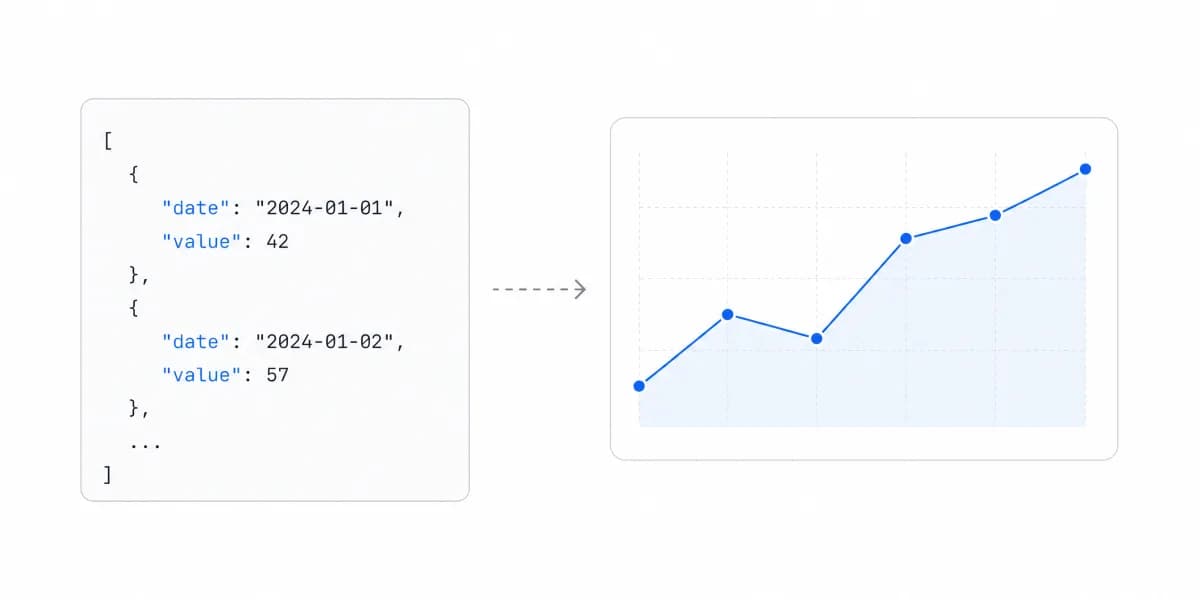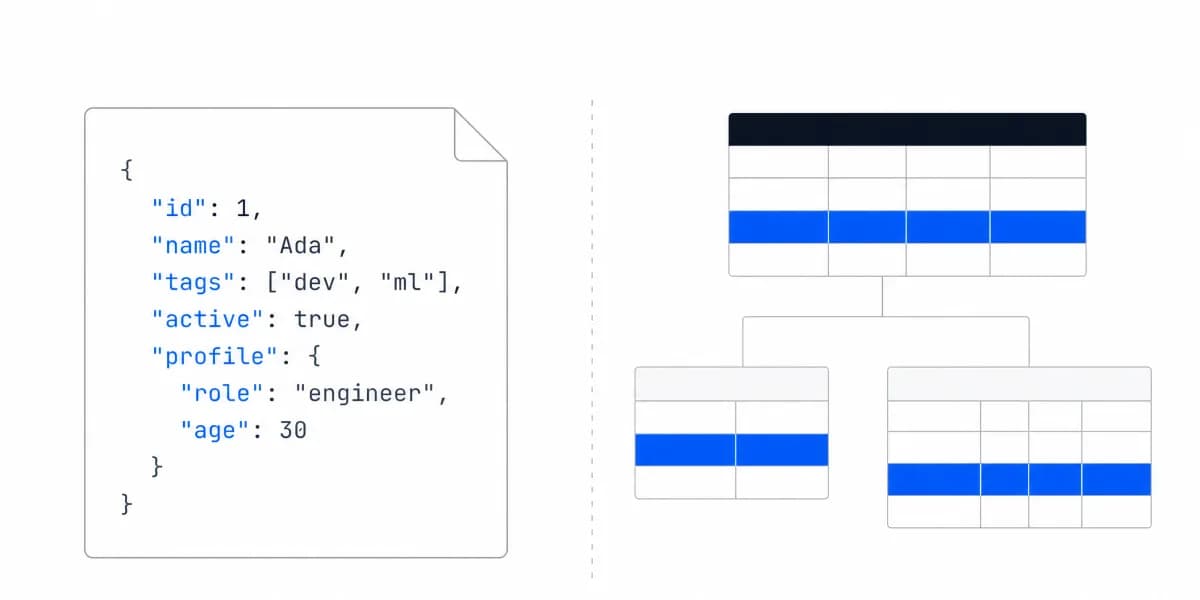
We've been noticing a shift in how engineering teams think about embedding analytics. Five years ago, the conversation was "Which BI tool should we use?" Now it's "Can we control this programmatically through your API?"
That's not just a semantic difference. It represents a fundamental change in how modern SaaS teams want to work with analytics infrastructure.
Traditional BI Was Built for Analysts in a Web Interface, Not for Product Teams in Code
Traditional BI platforms were built for analysts and business users. You log into a web interface, drag and drop some charts, configure a few filters, and embed the result with an iframe. The platform owns the experience.
For many use cases, that works. But engineering teams building customer-facing analytics increasingly want something different: full programmatic control over the embedded analytics experience.
Here's what developers actually need:
- Deploy analytics through CI/CD pipelines, not manual UI configuration
- Version control authentication, filters, and embedding logic
- Customize the UX integration using their own React components
- Integrate analytics into their existing authentication and security architecture
- Automate dashboard deployment for hundreds or thousands of customers
Traditional BI platforms weren't designed for this workflow. Headless BI and API-first analytics platforms are.
API-First Analytics Means the Platform Is Consumed Programmatically by Design
API-first analytics means the platform is built from the ground up to be consumed programmatically. Everything you can do in the UI, you can do through declarative APIs. And more importantly, the API is the primary interface, not an afterthought.
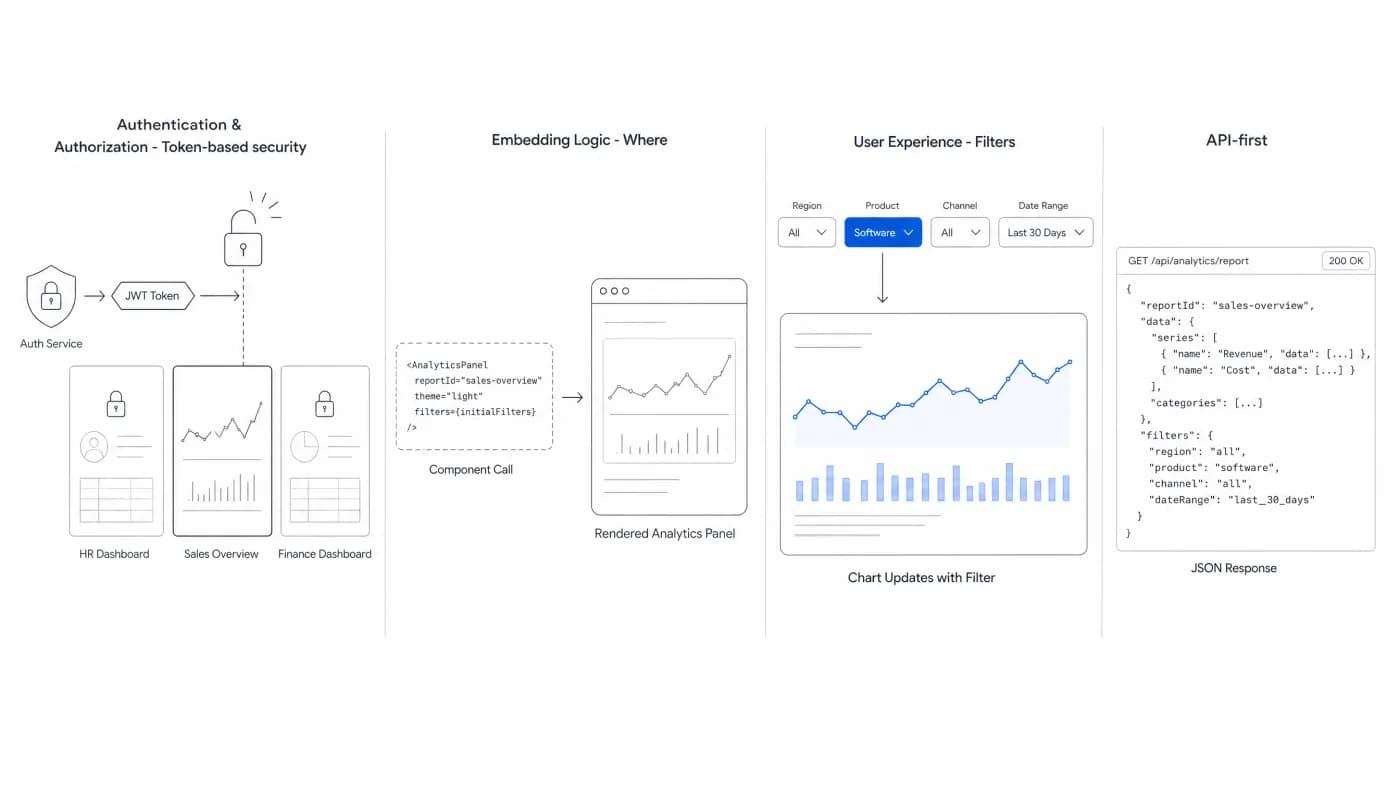
In embedded analytics specifically, this means you get programmatic control over:
- Authentication & Authorization - Token-based security, row-level filtering
- Embedding Logic - Where, when, and how dashboards appear
- User Experience - Filters, drill-downs, interactivity
- Deployment - Automated provisioning across customer base
But here's where it gets interesting: API-first doesn't mean API-only. The best platforms follow what we call an SDK-first approach, they provide well-designed SDKs (React, Vue, Angular) that wrap the raw APIs with idiomatic code for each framework.
Think of it this way:
- API-first: Everything is accessible programmatically
- SDK-first: Developers get framework-specific abstractions that feel native
Most embedded analytics platforms claim to be "API-first." But if you look at their actual implementation, they're really iframe-first with some APIs bolted on. The difference becomes obvious when you try to build a truly custom experience.
Ask: "Can I programmatically control authentication, embedding, and user context using just your SDK?" If the answer is anything other than "yes," it's not truly API-first.
API-First Changes Who Waits for Whom, Which Is the Workflow Difference That Shows
The practical impact of API-first architecture shows up in how teams actually work.
Parallel development: the frontend stops waiting for the analytics configuration
With traditional BI tools, your workflow looks like this:
- Business analyst builds dashboard in the BI platform
- Exports or shares the dashboard
- Developer embeds it via iframe with limited customization
- Designer tries to make it match your product's look and feel (with limited success)
With API-first analytics, teams can work in parallel:
- Analysts build dashboards using the platform's builder
- Backend engineers define authentication and row-level security through APIs
- Frontend developers control embedding and user experience using the SDK
- Product managers automate dashboard provisioning for different customer segments
Everyone works in their own tools, at their own pace, with programmatic control.
Analytics defined in code goes through the same pipeline as everything else
Because embedding and authentication logic are defined in code, you can treat analytics like any other application feature:
// Embedding configuration in version control
import { SumboardEmbed } from '@sumboard/react';

function CustomerDashboard({ customerId }) {
 const authToken = generateSecureToken({
 customerId,
 permissions: ['view_revenue', 'view_users']
 });

 return (
 <SumboardEmbed
 dashboardId="revenue-overview"
 authToken={authToken}
 filters={{
 customer_id: customerId,
 date_range: 'last_90_days'
 }}
 onFilterChange={handleFilterUpdate}
 />
);
}
This means:
- Version control for embedding logic and security rules
- Automated testing of authentication and permissions
- Rollback capability when something breaks
- Environment promotion from dev → staging → production
You're not clicking through a UI anymore. You're shipping code.
Developers decide without a ticket to the analytics team
API-first platforms give developers the autonomy to make decisions without waiting for the analytics team. Need to add row-level security for a new customer segment? Define it in code.
Want to embed analytics in a new part of your app? Add the SDK component. Need to automate provisioning for 500 customers? Write a script.
The analytics platform becomes infrastructure, not a bottleneck.
What API-First Analytics Looks Like in Code, Rather Than in a Configuration Screen
Let's look at what API-first actually means in practice for embedded analytics.
Embedding controlled in code instead of configured per dashboard in a UI
Instead of manually configuring each embed through a UI, you control it programmatically:
import { SumboardSDK } from '@sumboard/sdk';

// Initialize with your API key
const sumboard = new SumboardSDK({
 apiKey: process.env.SUMBOARD_API_KEY
});

// Programmatically control embedding for multiple customers
const customers = await fetchCustomers();

for (const customer of customers) {
 const embedToken = await sumboard.auth.createToken({
 userId: customer.id,
 filters: {
 customer_id: customer.id,
 // Row-level security applied automatically
 },
 expiresIn: '24h'
 });

 await provisionDashboard(customer.id, embedToken);
}
This embedding logic lives in your codebase. It's reviewed in pull requests. It's tested in CI. It's deployed with your application code.
Declarative APIs state the wanted result instead of scripting the steps
API-first platforms expose declarative rather than imperative APIs. Instead of making a series of calls to build up state, you declare what you want and the platform handles the implementation.
Compare:
// Imperative (bad)
const token = await api.createToken();
await api.addFilter(token.id, filter1);
await api.addFilter(token.id, filter2);
await api.updatePermissions(token.id, permissions);

// Declarative (good)
const token = await api.createToken({
 filters: [filter1, filter2],
 permissions: permissions
});
Declarative APIs are easier to version, test, and reason about. For a deeper dive into architectural patterns, see our guide on headless BI architecture.
Customer onboarding becomes provisioning, because everything is already code
Because everything is code, you can automate customer onboarding:
// When a new customer signs up
async function onboardNewCustomer(customer) {
 // Provision their analytics access
 const dashboardConfig = {
 customerId: customer.id,
 tier: customer.plan,
 features: getAnalyticsFeaturesForPlan(customer.plan)
 };

 // Create secure embedding token
 const embedToken = await sumboard.auth.createToken({
 userId: customer.id,
 dataScope: {
 customer_id: customer.id
 }
 });

 // Store for frontend access
 await saveEmbedConfig(customer.id, {
 dashboardId: 'customer-overview',
 token: embedToken
 });
}
No manual configuration. No clicking through admin panels. Just code.
API-First Buys Speed, Developer Experience, and the Ability to Change Your Mind Later
For B2B SaaS companies building customer-facing analytics, API-first architecture provides three critical advantages:
Speed to market: months of BI setup against a code path your team already runs
In the implementations we have seen, traditional BI takes three to six months. With API-first analytics, teams ship in days. Why?
Because developers work in their existing tools and workflows. There's no learning curve for a proprietary platform. No waiting for the BI team to configure things.
Cashpad, a restaurant POS platform, integrated the SDK and had a first dashboard live in production in about ten minutes. Not ten minutes to see a demo, ten minutes to actually ship to customers. Their data was already queryable, which is the part that decides whether that timeline is available to you.
Developer experience is a retention factor for the engineers building the feature
Engineers building customer-facing features care deeply about DX. They want clean APIs, well-documented SDKs, and tools that fit their workflow. API-first platforms are built by developers, for developers.
This shows up in details: TypeScript support for autocomplete, React hooks that feel native, complete error messages, and documentation that assumes you know how to code (because you do).
When combined with white-label capabilities, you get complete control over both the technical integration and the user-facing experience.
Coupling analytics to a vendor's UI configuration is what makes leaving expensive
When analytics are tightly coupled to a vendor's UI configuration, you're stuck with their workflow. With API-first architecture, you maintain control over the integration layer.
Want to change how authentication works? Update your SDK implementation. Need to completely redesign where analytics appear in your app? Your embedding logic is just code, refactor it.
The platform handles the complex parts (multi-tenant data processing, query optimization, security), while you control exactly how it integrates into your product.
The real power of API-first analytics isn't just technical. It's organizational. When embedding logic is code, your entire engineering workflow (version control, CI/CD, testing, deployment) applies to analytics too.
What to Check Before Calling a Platform API-First
If you're evaluating API-first analytics platforms, here's what to look for:
SDK Quality
- Framework-specific implementations (React, Vue, Angular)
- TypeScript support with strong typing
- Complete error handling
- Examples that match real-world use cases
API Design
- RESTful or GraphQL with clear documentation
- Declarative rather than imperative
- Consistent error responses
- Rate limiting that makes sense for your use case
Authentication & Security
- Token-based authentication
- Row-level security built in
- Multi-tenancy support
- Clear security documentation
Developer Resources
- Interactive API documentation
- Working code examples
- Active community or support
- Migration guides from other platforms
A Claim You Cannot Open Is Not Evidence, So Start With the Items That Leave an Artefact
The list above is what to look for. It is not yet a test, because a vendor can answer yes to all of it and a demo can show all of it. The useful cut is which items leave a public artefact you can open before speaking to anyone.
| What you want to know | What proves it without a call |
|---|---|
| The API is real and documented | A public API reference you can browse, not a page describing that an API exists |
| The SDK matches your stack | A named SDK for your framework, with its own docs rather than a bullet on a features page |
| A developer can start alone | A quickstart that runs without a sales-issued key |
| The security model is specified | Documentation of token issue, tenant scoping and row filtering, in the developer docs rather than the trust centre |
The four rows are ordered by how cheap they are to check: the first two are answered by a documentation index, the last two need you to open the developer docs and read.
The check, run once
The results for this term name GoodData twice, independently, as the API-first example: one describes it as having "evolved from a managed BI platform to an API-first embedded analytics platform", another as "a developer-centric, API-first embedded analytics solution". So it is a fair subject for a worked check. What follows is what its own documentation index showed on 19 August 2026, and nothing beyond that. Two of the four rows are answerable from that index alone; the other two are marked as not checked below rather than left silent.
A public API reference: yes. The docs index carries an entry reading "API Docs: General reference for using the GoodData REST API", linking to an overview and a reference.
Framework-specific SDKs: partly, and the frameworks are named. A Python SDK, described as "Develop Python applications using our analytical engine", and a React SDK, described as "Develop web applications with GoodData.UI React components". There is also a VS Code extension marked beta. If your stack is Vue or Angular, that index does not answer you, which is the point of asking about your framework rather than about SDKs in general.
An OpenAPI specification: not found on that page. The index does not mention one. That is a statement about the page we read, not about the product; a specification may exist elsewhere in the documentation. It is recorded this way because the difference between "does not exist" and "was not where we looked" is exactly the difference this checklist is built to preserve.
A quickstart that runs without a sales-issued key: not checked. Answering this row means starting the quickstart, not reading the index, and we did not do that here. It is left open rather than guessed.
Documented token issue, tenant scoping and row filtering: not checked. Same reason. The index lists developer documentation; whether those three are specified inside it is a question for the documentation itself, and reporting an answer we did not look up would defeat the purpose of a checklist built on artefacts.
Two answered, one recorded as absent from the page we read, two openly not checked. That is what a real run of this looks like, and it is more useful than four ticks.
Run the same four rows against your own shortlist. The output is not a score, it is a shorter list where every remaining name has published something you were able to open. The alternatives guide is where the shortlist itself gets built.
Where to go next
- Headless BI guide: the metrics layer an API-first setup sits on, including the SDK route this article trades against.
- SDK-first analytics: the same exposure decision from the component side, priced in integration time.
- Analytics architecture articles: every article in this cluster.
Ready to launch customer-facing analytics?
Stop losing customers to competitors with better analytics. Sumboard's customer-facing analytics platform lets you launch self-service dashboards in days, not months.