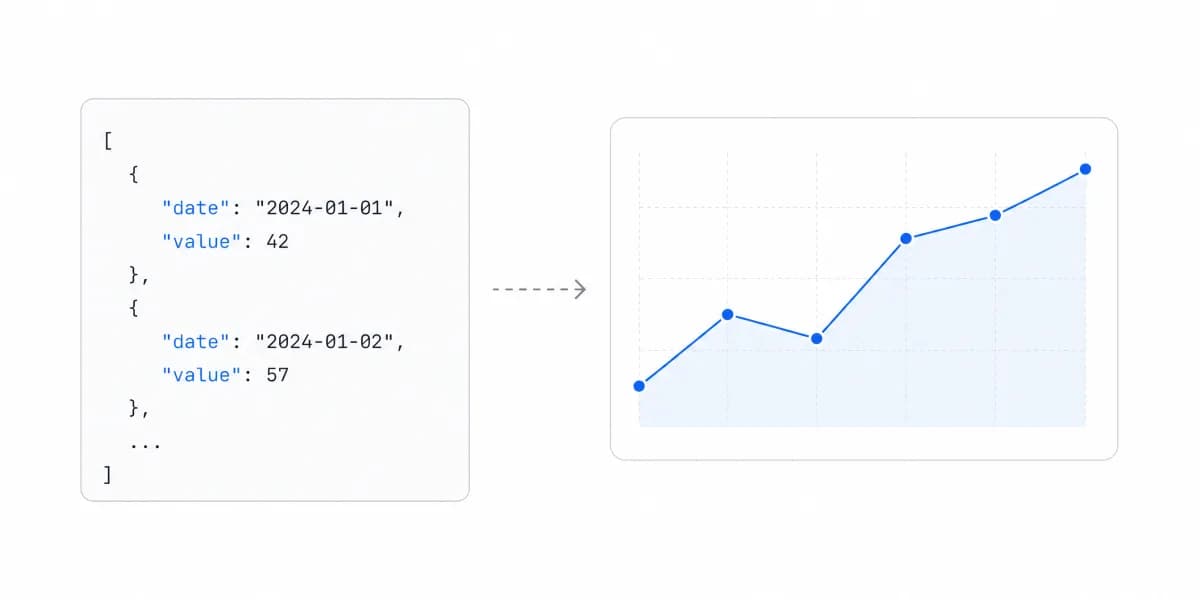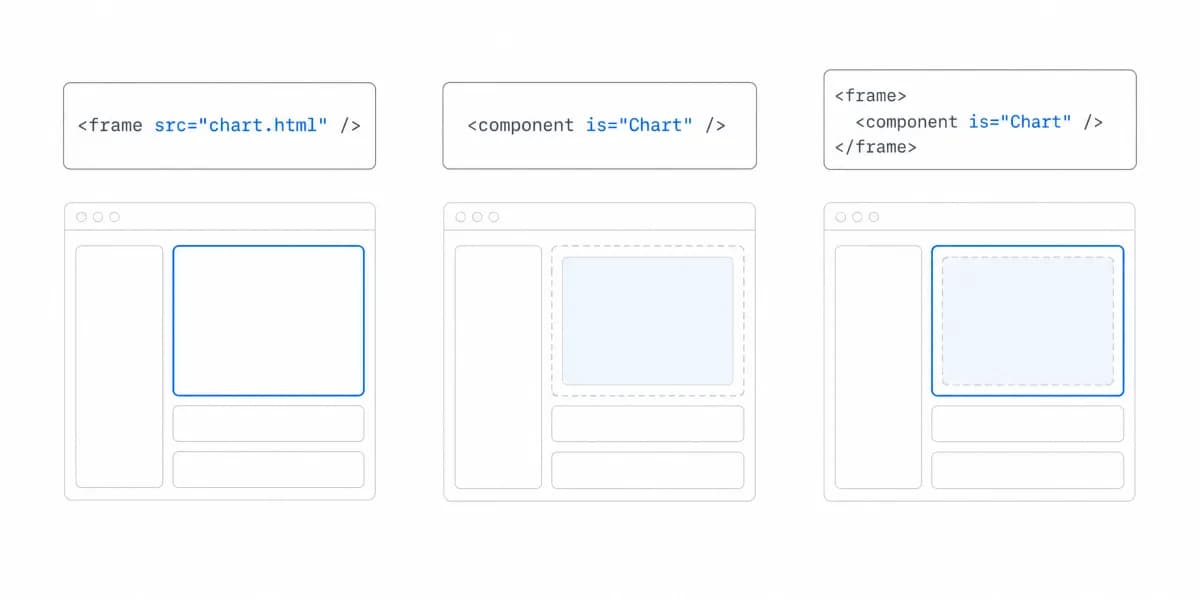
Engineering teams evaluating embedded analytics platforms often compare an iframe with an SDK as though each label described one fixed architecture. It does not.
The better questions are: Where does rendering run? Which controls does the integration contract expose? Which team owns authorization, lifecycle, performance, accessibility, and upgrades?
SDK-First Analytics Means the SDK Is a Primary Integration Path, Not an Add-On
SDK-first analytics means the vendor treats a software-development kit as a primary integration surface. The kit may manage a frame, render host components, or expose headless queries. Those models provide different control and leave different responsibilities with the host.
With SDK integration, inspect the actual package before writing sample code. Sumboard's installed package exposes a class that manages a framed dashboard:
import { Sumboard } from '@sumboard/sdk'

const analytics = new Sumboard()
await analytics.init({
  token: scopedToken,
  dashboardId: 'customer-overview'
})

// Later, if supported by the workflow:
analytics.changeFilters(nextFilters)

// On route or component cleanup:
analytics.destroy()
The SDK simplifies mounting, supported messages, and cleanup. The application server still owns token policy and tenant authorization; the host still owns the shell, loading and error experience, responsive layout, and acceptance testing.
Three Signals That an SDK-First Contract Is Worth Inspecting Closely
Signal 1: The product has a strict design system
When teams embed analytics, a separate document prevents host CSS from cascading into the dashboard. An SDK wrapper does not change that boundary. Verify the vendor's theme tokens, font support, spacing, component states, custom domains, exports, and upgrade contract with a representative screen.
Signal 2: You need analytics to feel integrated, not bolted on
Here's a pattern we see with successful B2B SaaS products: Analytics isn't a separate "Reports" tab. It's woven throughout the product.
A customer dashboard might show:
- Transaction data inline with account details
- Charts next to action buttons
- Metrics in sidebar widgets
- Filtered views that respond to the main navigation
An SDK can provide supported filter or event methods instead of ad hoc postMessage code. That does not mean a framed dashboard can be composed like a host DOM component. If the roadmap needs charts beside host controls or metrics inside navigation, verify whether the vendor exposes host-rendered components or a query API.
Signal 3: Your roadmap includes custom analytical experiences
Custom analytical experiences require a contract that exposes the needed data, state, and actions.
Examples we've heard:
- "Can we add a comparison mode where users pick any two time periods?"
- "Can we let users create their own calculated metrics?"
- "Can we build a guided analytics flow for new users?"
Before selecting an SDK, map each proposed feature to a documented method, event, component, or query. A wrapper API can make supported frame interactions safer and easier; it cannot provide controls the vendor has not exposed.
SDK-First Is Not Always Right, and the Trade-Offs Rarely Make the Pitch
Let's be honest: SDK-first isn't always the right choice.
A direct iframe is enough when you will not customize much
You just need to ship analytics fast and don't plan to customize much. Your customers expect standard BI dashboards. You're early-stage and validating product-market fit.
Demo setup time is not production lead time. Compare both routes against authentication, tenancy, responsive layout, accessibility, error recovery, observability, consent, performance, and release requirements.
A direct iframe may keep host code small. A wrapper may standardize lifecycle and supported messages. Host-rendered components or headless APIs may provide deeper composition while adding dependencies, rendering work, and upgrade tests. None of those outcomes follows from the SDK label alone.
Migration cost depends on whether the rendering and data contracts change. Preserve a narrow host adapter, isolate token creation on the server, document filters and events, and keep acceptance tests at the workflow boundary so a later change is measurable.
For more on the architectural patterns that make modern SDKs possible, see our guide on headless BI architecture, it explains why separating the presentation API from the data engine matters for long-term flexibility.
Sumboard's SDK Manages the Frame Rather Than Rendering the Charts, Which Changes What You Own
The current Sumboard package is a frame-management SDK, not the React provider shown in older examples.
Step 1: Install the SDK
npm install @sumboard/sdk
Step 2: Obtain a scoped token from your server
const response = await fetch('/api/sumboard-token')
if (!response.ok) throw new Error('Token request failed')
const { token } = await response.json()
Step 3: Initialize and clean up the SDK
import { Sumboard } from '@sumboard/sdk'

const analytics = new Sumboard()
await analytics.init({ token, dashboardId: 'customer-metrics' })

// Call when the host view unmounts.
analytics.destroy()
The exact host target and token endpoint depend on the application. Treat this as a contract sketch and use the documentation and installed type declarations for the current version.
The package handles the embed lifecycle: token, filters, sizing and cleanup
- Initialize a dashboard or page with a token
- Pass initial filters and update supported filters
- Configure supported size and padding options
- Destroy the managed instance during cleanup
The host handles authorization, surrounding states, routing and version testing
- Issue scoped credentials and enforce tenant authorization on the server
- Provide loading, error, responsive, and accessibility behavior around the embed
- Integrate routing, feature flags, consent, and product telemetry deliberately
- Test the installed SDK version and vendor release behavior
This wrapper is not itself proof of a headless BI architecture. Headless BI exposes semantic or query capabilities for host-rendered experiences; a frame-management SDK exposes a lifecycle around vendor rendering. Our headless BI guide covers that distinction.
What a Weak SDK Contract Looks Like Before You Sign It
The pitch describes what the SDK does when everything works. The contract is visible in four less flattering places.
Versioning and support. Whether breaking changes can arrive in a minor release, how long a version keeps receiving fixes, and whether you are able to pin one while you schedule the work. Ask for the changelog of the last twelve months rather than the roadmap, because that is the upgrade cost you are actually agreeing to.
Packaging. Whether it ships modern modules, whether unused parts can be dropped from your bundle, and what it pulls in transitively. A charting dependency you did not choose is still one you now ship.
Types and runtime agreement. Whether published types match what the package really returns, including error shapes. Types that drift from runtime turn a compile-time guarantee into a false one.
Failure surface. What the component renders when a token expires mid-session, whether errors are catchable in your own boundary or only logged to a console, and whether a failed load leaves a broken frame or a state you can style.
The Upgrade You Own Is the One That Arrives Unrequested
A vendor-rendered frame updates when the vendor deploys. A host-rendered package updates when you decide. Both carry a failure mode worth choosing deliberately: the first can change what your customers see without any release on your side, and the second lets you fall far enough behind that the eventual upgrade becomes a project rather than a task.
Neither is the safe option. Decide which one you would rather explain to a customer, then write that answer into the operating contract instead of discovering it during an incident.
One Vendor Publishes the Coupling, Which Turns That Trade-Off Into a Version Table
Metabase's modular embedding SDK version page states that on Metabase 56 and earlier "the SDK major version must match the Metabase major version," and that "Metabase Cloud upgrades your instance automatically as new versions roll out."
Read together, and for a Cloud instance on 56 or earlier, those two sentences put a host-side dependency change on someone else's calendar unless somebody intervenes. The same page documents the intervention: on 56 and earlier, pinning the instance version keeps the SDK package and Metabase majors in lockstep. So the unrequested upgrade above is avoidable here, though the documentation does not settle who watches that pin or when it should be lifted.
The same vendor changed the rule at version 57, and that boundary matters more than any policy summary. From 57 onward the instruction is to install the package matching your Metabase major through a @{major}-stable dist-tag, so that the package's "TypeScript types and exported components stay in sync with your instance's SDK Bundle." That is a looser arrangement than the 56 rule, because what has to line up is a typing and export surface against a bundle the instance serves, rather than two major versions locked to each other.
The question this raises is not whether a vendor documents upgrades, but what is pinned to what. Ask which version pairs the vendor supports, who decides when the server side moves, and where a mismatch would surface for you. The frame-managing SDK described earlier on this page does not answer that question so much as relocate it, because there the vendor's deploy is what changes the result.
Scope of this reading, so it is not taken as wider than it is: we read one vendor's public version documentation on 29 August 2026. We did not check whether other SDK vendors publish an equivalent version-matching rule, so treat this as one documented example of the coupling rather than an industry norm.
SDK Versus Iframe Is a Product Decision Wearing an Engineering Costume
The SDK versus direct iframe decision is both a product and engineering decision.
Define the product task and the integration evidence it requires.
If a vendor-rendered dashboard satisfies the task, a direct iframe or wrapper can be appropriate.
If the roadmap requires host-level composition or custom analytical behavior, verify that the SDK provides host-rendered components or headless APIs rather than assuming a frame wrapper will evolve into them.
Strategic importance does not dictate one architecture. The correct boundary depends on required control, evidence from a prototype, team ownership, vendor contract, and migration cost.
Ask which workflows the product must support, what the current SDK actually exposes, and what the team is prepared to operate. Choose the narrowest contract that meets those requirements without blocking a known roadmap need.
Where to go next
- Headless BI guide: the metrics layer underneath all of this, and what each exposure route leaves you owning.
- Live dashboard best practices: choose live-dashboard refresh, caching, alerting.
- Architecture articles: every article in this cluster.
Ready to launch customer-facing analytics?
Stop losing customers to competitors with better analytics. Sumboard's customer-facing analytics platform lets you launch self-service dashboards in days, not months.