Sisense combines business intelligence, data modelling, dashboards, security controls, and developer tooling for embedded analytics. Its range matters because “using Sisense” can mean very different architectures: a dashboard backed by imported data, a live query against a warehouse, an iframe, or a code-composed product experience.
A useful evaluation separates three decisions: where queries run, how analytics render inside the product, and who operates the deployment.
Sisense Is Four Data Models Under One Semantic Layer, and They Are Not Interchangeable
Sisense is an analytics platform with a semantic and visualization layer above several data-model choices. Those choices are not interchangeable:
- ElastiCube imports and transforms data into Sisense's proprietary analytical store. Freshness follows the model's build schedule.
- Live models issue queries to the connected source. Freshness can be near real time, while latency and query cost depend on that source and the generated workload.
- Build to Destination (B2D) prepares data and writes it to a supported cloud data warehouse, where dashboard queries then run.
- Hybrid dashboards can combine model types when historical and current views need different paths.
Sisense's data-model guidance lists transformation needs, refresh cadence, source scale, warehouse cost, and tenant-specific models as selection criteria. That is more precise than treating ElastiCube as the platform's only engine.
The models feed dashboards, widgets, alerts, APIs, and an embedded analytics platform surface. Product teams should evaluate the data path together with the UI path because a polished component cannot compensate for a model that misses freshness or latency requirements.
Sisense's Capabilities Are Real, and Every One of Them Is Plan and Route Dependent
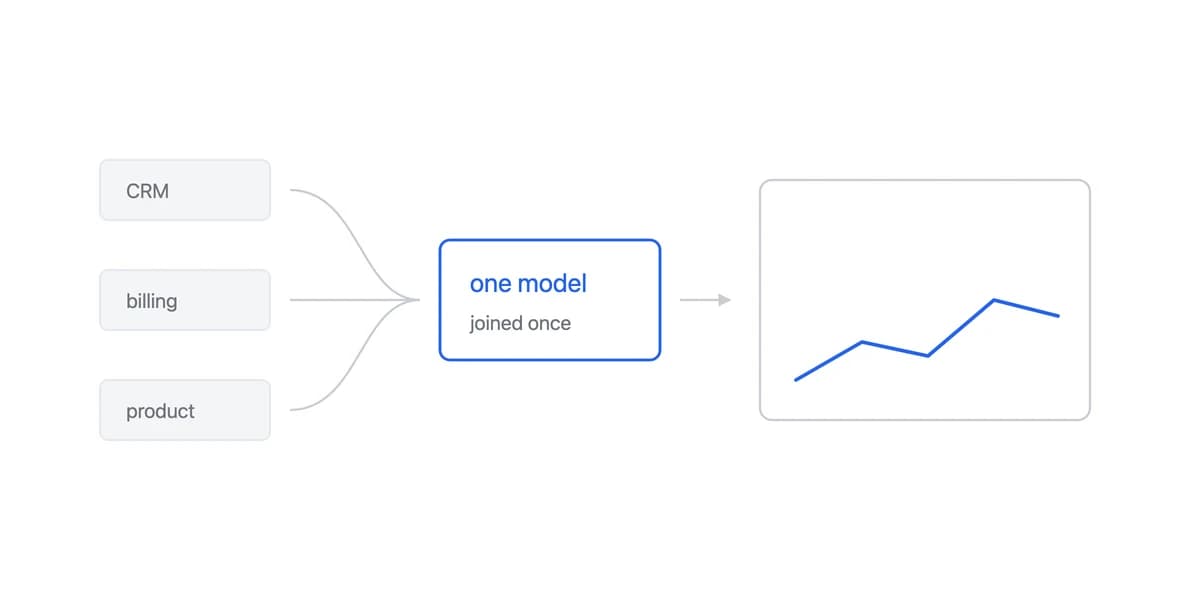
Data integration and modelling connect supported warehouses, databases, applications, and files. ElastiCube supports imported multi-source models; Live and B2D keep more query work in a source or destination warehouse. Validate the specific connector, authentication mode, transformation, and network route rather than relying on a connector count.
Dashboards and analysis combine widgets, filters, drill paths, alerts, and sharing with access to governed data models. The fit depends on whether the required chart, interaction, export, accessibility, and mobile behaviours work in the chosen embedding route.
AI features currently include capabilities such as natural-language query, narratives, an assistant, and Compose SDK components. Availability and data handling depend on the plan and deployment, so verify model support, LLM configuration, auditability, fallback behaviour, and whether generated output is safe for the intended audience.
Security controls cover user roles, model and dashboard access, authentication, and row-level data rules. Sisense's data access security can restrict rows by user or group. That feature still needs a tested default-deny design, tenant mapping, direct-link tests, export tests, and source-database defence in depth.
Sisense's Four Embedding Routes Move Interface Work, Not the Security Contract
Sisense's current embedding methods documentation describes four routes:
- IFrame: loads a Sisense page inside the host product. It is the shortest path to a dashboard-shaped embed, with the host primarily controlling URL and display options.
- Embed SDK: still renders through an iframe, then adds a JavaScript interface for events, filters, exports, and application-to-dashboard commands.
- Sisense.JS: loads Sisense runtime and renders dashboards, widgets, or filters into selected DOM containers without an iframe. It offers more layout and styling responsibility to the host team.
- Compose SDK: lets developers define queries, filters, and visual components in application code or render existing widgets by ID. Current developer documentation supports TypeScript with React, Angular, and Vue.
Compose SDK is not simply “more customizable.” It transfers more interface and integration work to the application team. Its authentication documentation lists SSO, Web Access Tokens, and API tokens, warns that API tokens are generally not a good production choice, and requires explicit CORS configuration. Treat token issuance, expiry, origin policy, user mapping, and row access as part of the product architecture.
Sisense's Deployment Choices Are Operating Contracts, Not Maturity Labels
Sisense exposes different deployment and operating choices. Its public plans page describes SaaS, dedicated cloud, and on-premises options for Enterprise customers. The architecture documentation also distinguishes single-server deployments from distributed deployments for heavier traffic.
These are operating contracts, not maturity labels. A production review should name:
- Who upgrades Sisense and how long each version remains supported
- Who owns model builds, application backups, monitoring, and incident response
- Which environments are included for development, staging, and disaster recovery
- How scaling, availability, support response, and data location appear in the contract
- Which optional cloud services or AI features communicate outside an on-premises deployment
When comparing Sisense vs Looker, compare the same workload and ownership boundary. A feature list alone will not reveal the cost of a model refresh, a release upgrade, or a failed customer query.
Where Sisense Costs More Than the Feature List Shows
Sisense Publishes Plans but No Licence Amount, So a Budget Needs the Quote
Sisense's public plans page offers a self-serve trial and a sales route for Enterprise, but it does not publish a licence amount. That means a buyer can test product behaviour before receiving a complete enterprise price, but cannot build a reliable budget from the public page alone.
Ask the quote to separate platform or environment fees, authors, embedded viewers, support, deployment, AI or consumption charges, and development environments. Record renewal terms and overage behaviour. Do not substitute a third party's historical contract for your own architecture and volume.
Sisense Performance Depends on Which Model Carries the Query, So Measure Your Own
Sisense can route work through ElastiCube, Live, B2D, or a combination. Each moves latency and cost to a different place. Test source-query time, generated query, concurrent users, model-build duration, cache state, dashboard payload, browser rendering, and the p95 user journey separately.
Reviews on Gartner Peer Insights can suggest scenarios worth reproducing, but an isolated report cannot establish the cause of performance in another deployment. Require measurements from your own data model and embed route.
Sisense.JS and Compose SDK Move Layout, Auth, and Upgrades Onto Your Team
Iframes minimize initial UI work but constrain host control. Sisense.JS and Compose SDK give the product team more responsibility for layout, state, authentication, upgrades, accessibility, and tests. That is not inherently a flaw: it is the expected cost of owning more of the customer experience. Estimate it explicitly.
Three Questions the Public Record Turns Into
A technical evaluation eventually needs dates, ownership and leadership, and those are not what a product page is for. Nothing below explains the architecture described above. Each fact is here because it turns into a question you can put to a solutions engineer.
Wikipedia's article records the outline, and every quotation below is from it. Sisense "was founded in 2004 in Tel Aviv, Israel" and is "headquartered in New York City, United States". Funding reached "$174M over five rounds" by 2018, and in January 2020 "Sisense reached a valuation exceeding $1 billion". In May 2019 it "acquired Periscope Data, a U.S. based company specializing in advanced analytics and predictive modeling". The chief executive has changed three times in the period the article covers: Amit Bendov in 2012, then "In 2015, Amir Orad was appointed CEO, replacing Bendov", then "In April 2023, Ariel Katz was appointed CEO, replacing Orad".
Three of them turn into questions worth asking.
The company dates from 2004. The record gives the founding year, not a product release date, and it does not say when any of the four data models described above appeared. What the date does establish is that you are evaluating a long-lived company rather than a recent entrant, which is a reason to ask when each model was introduced and which one a new account lands on. That question has an answer; this page does not have it.
There has been an acquisition. In May 2019 Sisense acquired Periscope Data, described in the record as specialising in advanced analytics and predictive modelling. What happened to that product afterwards is not in the record we read: whether any of it was merged into the platform, kept separate, or retired is unknown to us, and we are not going to infer it from the fact of the purchase. It is a question worth putting to a solutions engineer, phrased as a question.
The chief executive has changed three times in the recorded period. We are not reading that as a stability signal in either direction, because we have no comparison set. The reason to note it is the date: the most recent change was April 2023, so if a roadmap commitment you are given is older than that, it is worth asking whether it still stands.
The funding and valuation figures are the fourth thing the record gives, and we draw no question from them: they are dated 2018 and 2020 and describe a financing history rather than anything you would test in an evaluation. They are quoted above for completeness rather than because they decide something.
None of this decides anything on its own, and it sits alongside the acceptance tests below rather than ahead of them.
One more item from our own measurement rather than the public record. When we read nine vendor pricing pages on 19 August 2026, Sisense was among the six that publish no price for a plan you could buy: the enterprise tier says talk to us, and the self-serve tier offers a trial rather than a figure. Budget the quote conversation early.
Sisense Fits When It Passes the Acceptance Tests, and Company Size Does Not Decide
Sisense is worth a proof of concept when the team needs its combination of modelling, governed dashboards, deployment options, and code-driven embedding. It should pass the same concrete acceptance tests as any other platform:
- The selected model meets freshness, query-cost, and p95 latency targets
- A negative tenant test cannot expose another customer's rows, exports, or cached results
- The selected embed route covers the required filters, drill paths, mobile layout, and accessibility
- Authentication and token handling survive expiry, logout, and direct-link attempts
- The operating owner can execute an upgrade, backup, and recovery exercise
- The final quote fits the expected audience and renewal scenario
If those tests fail, explore Sisense alternatives for the failing contract rather than because of company-size labels. A product team building analytics for its customers, on Sisense or on a customer-facing analytics product, may choose a more packaged embed to transfer engineering work; another may choose Compose SDK precisely because it wants to own the interface. The evidence is the tested boundary, not whether the buyer is a startup or an enterprise.
Where to go next
- BI tools comparison guide: which platforms survive being embedded, judged on the embedding rather than the connector list.
- Metabase alternative: compare Metabase with embedded-first analytics using architecture, branding, tenancy.
- BI Tools & Comparisons articles: every article in this cluster.
Ready to launch customer-facing analytics?
Stop losing customers to competitors with better analytics. Sumboard's customer-facing analytics platform lets you launch self-service dashboards in days, not months.