We've been talking to a lot of SaaS product teams who evaluated Domo for embedding analytics into their products. The pattern is consistent, they see Domo's impressive demo, get excited about the possibilities, then realize the platform was built for a different use case entirely.
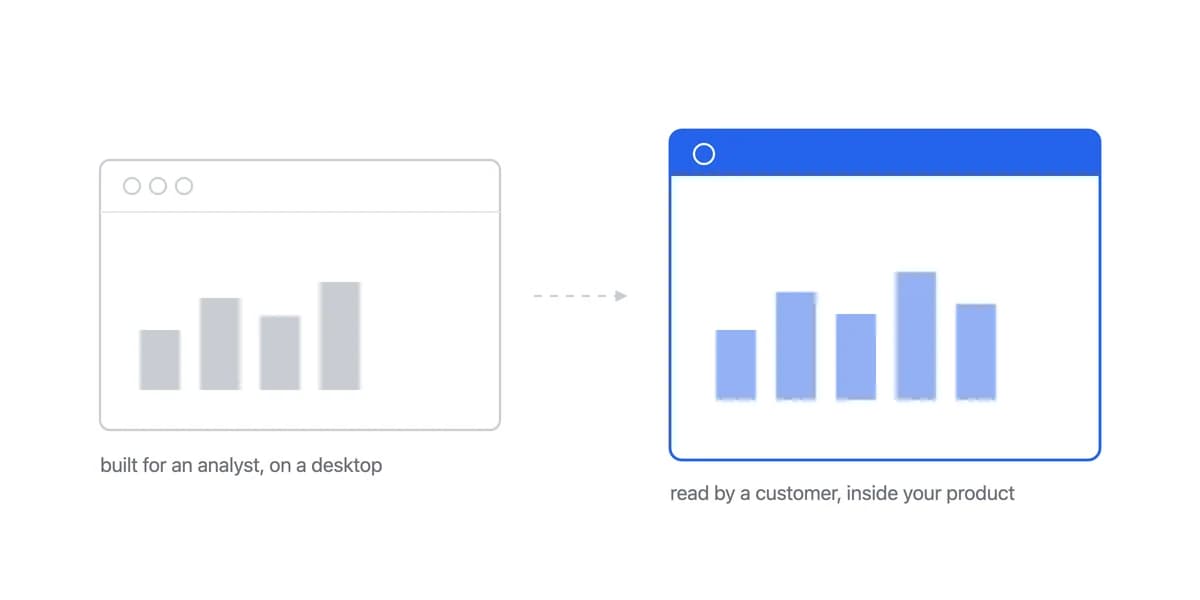
The challenge isn't that Domo lacks features. It's that Domo was built for enterprise business intelligence teams managing internal analytics across organizations. When you're trying to embed analytics into your B2B SaaS product for customer-facing use, that enterprise foundation becomes complexity you're paying for but not using.
Domo's Strengths Are the Overhead, If You Already Own That Layer
Nothing in the list below is broken. Centralised governance, the connector library, the built-in warehouse: each is a real capability, and each is exactly what a company without that layer is buying. The reading changes entirely when the buyer already has one.
Domo's centralised governance becomes overhead on a product team
Domo's strength becomes overhead for product teams. The platform excels at centralized data governance, extensive data connectors, and sophisticated business intelligence workflows. For a Fortune 500 company with dedicated BI analysts, these capabilities justify the investment.
For a SaaS product team trying to ship a customer-facing analytics product, you're maintaining an enterprise BI platform when you need clean, embeddable dashboards.
Our own reading of the fit: Domo's data modelling approach has to be learned before anything ships, and a team that needs analytics live this quarter does not have that runway.
The feature bloat is real. Domo markets an extensive pre-built connector library and ETL capabilities. If you're building embedded analytics, you already have your data infrastructure. You don't need Domo's data warehouse, you need a visualization and embedding layer that works with your existing stack.
The only published thing about Domo's pricing is that nothing is published
One thing about Domo's pricing is published, and it is that nothing is. Checked 5 August 2026, Domo's pricing page carries the words Custom Pricing once and Contact Sales three times, and contains no currency symbol, no per-user figure and no seat count anywhere on it.
Everything else about the commercial model has to come out of the sales conversation, and this page is not going to guess at it. What follows is therefore the list of things to make them answer in writing before you commit, not a description of what Domo charges:
- What the meter actually counts: users, seats, rows, credits, queries, or capacity
- Whether there is a minimum user or spend commitment, and what happens to unused seats
- Whether API access and the features you need are inside the licence or billed on top
- What implementation, training and ongoing specialist support are quoted at, separately from the licence
- What the renewal looks like if your user base doubles
Whatever the licence says, it is not the whole number. Any enterprise BI platform carries implementation, training and ongoing specialist maintenance, and those are quoted separately from the licence. Get them priced in the same conversation, because a licence figure agreed without them is not a budget.
For SaaS teams with lean budgets and aggressive growth targets, committing to analytics infrastructure you cannot price before a sales call doesn't align with embedded analytics economics.

Judge a Domo Alternative on Embedding Architecture, Not on the Connector Count
If you're evaluating embedded analytics alternatives to Domo, focus on what matters for customer-facing use cases rather than enterprise BI capabilities.
Purpose-built embedding architecture matters more than data connectors. You need clean SDKs that integrate with modern frameworks (React, Vue, Angular), not another data warehouse. Look for platforms designed for embedding first, not retrofitted from internal BI tools.
Transparent, predictable pricing should be table stakes. If a vendor won't show you pricing without a sales call, that's a signal their model doesn't fit lean SaaS teams. Look for fixed monthly subscription pricing with clear boundaries, not complex usage models that create surprise bills.
Fast integration timelines directly impact your roadmap. The difference between an SDK integration in minutes and an implementation project measured in months is the difference between shipping analytics this week versus next year.
White-label flexibility needs to be built-in, not add-ons. Your customers should see your brand, your design system, your UX, not a generic BI interface. Check how much white-label customization is possible, including PDF exports, without extensive development work.
Multi-tenant security should be native platform capability. Row-level security, proper data isolation, and token-based authentication aren't optional for SaaS products. These need to be core features that work automatically, not complex configurations you build yourself. Learn more about multi-tenant architecture requirements for embedded analytics.
Sumboard Publishes a Price Where Domo Routes Every Tier to Contact Sales
We built Sumboard specifically for the scenario where Domo doesn't fit, product teams at B2B SaaS companies who need to embed customer-facing analytics quickly without enterprise BI complexity.
The integration difference is measurable. While enterprise BI platforms take months rather than days for full deployment, Sumboard's SDK-first approach can get a standard integration running in about 10 minutes. Install the package, connect your data source, and embed.
For Nicolas at Cashpad, the difference was immediate (read Cashpad's case study):
"Analytics is one of the first things we are showing to our customers during the demo sessions of our product. Now it looks so much better than before, and works faster."
Nicolas, CTO at Cashpad
Pricing is transparent and predictable. Our embedded analytics platform starts at €199/month with unlimited viewer seats. There are no per-user fees to scale unpredictably and no minimum user commitments. You can see pricing on our website and start with a 30-day free trial.
The architecture is SDK-first. We built for embedding from day one. This includes modern framework support for React, Vue, and Angular, optimized performance through an optimized iFrame approach, and complete white-label customization.
Multi-tenancy is built-in. Row-level security, token-based authentication, and proper data isolation come standard. You're not configuring complex security rules; the platform's multi-tenant architecture ensures each customer sees only their own data by default.
For teams replacing Domo, the difference starts with being able to see the number. Domo publishes no price: its pricing page reads Custom Pricing and every tier routes to Contact Sales (Domo pricing, checked 7 August 2026). Sumboard is €199-€499 per month, which is €2.4K-€6K annually, with a lower maintenance burden. We cannot express the gap as a percentage, because one side of that division is not published.
The Ranked Lists Name the Same Handful, and Most of Those Names Answer a Different Question Than Yours
Search for a Domo alternative and the results are lists of names. ThoughtSpot's names ThoughtSpot, Power BI, Tableau, Qlik Sense and Looker. Gartner's names Tableau, Power BI, Qlik Cloud Analytics, Amazon QuickSight, Looker and Sisense. Others run to ten.
Read those two lists next to each other and something is visible. Tableau, Power BI, Qlik, Looker, ThoughtSpot and Amazon QuickSight are all lists of platforms whose primary product is internal business intelligence. Several of them do sell an embedding option, and this site has separate pages on Tableau's and Power BI's; the point is not that embedding is unavailable there, it is that these lists are ranked and written around the internal job. That is a fine answer to the question of what else does what Domo does. It is a weaker one for you if you are leaving because you need analytics inside your own product, because a list ordered by internal capability will not order itself by the thing you are buying.
The lists are not wrong. They are answering the general version of the question, and yours is a narrower one.
Three of the ranked results do speak to embedding, and it is worth noticing which ones. Astrato's entry argues its case on connecting to the warehouse and executing embedded analytics for customer-facing use. GoodData's argues on embedded analytics, multi-tenant architecture and developer tooling. Bold BI's is titled as an embedded analytics comparison outright. All three are vendors making their own case, which is fair, and all three are pointing at the axis this page has been describing.
Sorting the names by the question they answer
The useful cut is not a ranking, it is a grouping by what each product was built around. The grouping below reflects how each vendor positions itself rather than a feature audit, and it is a starting point for a shortlist rather than a verdict on any of them.
| What you are replacing | Names that recur in the ranked lists |
|---|---|
| Internal BI across many source systems, which is Domo's own strength | Tableau, Power BI, Qlik, Looker, ThoughtSpot, Amazon QuickSight |
| Analytics inside your own product, for your own customers | Sisense, GoodData, Astrato, Bold BI, and the purpose-built platforms in our alternatives guide |
If your reason for leaving sits in the first row, the ranked lists are already a decent shortlist and this page is not the one you need. If it sits in the second, the shortlist is shorter than the lists suggest, and the four tests in the complete guide will cut it further.
One practical note before you request quotes. Three of the names above were in a dated read we ran of nine vendor pricing pages on 19 August 2026, and all three of them turned out to publish no plan price you could put in a forecast: Looker answers call sales on every edition, Sisense asks you to talk to sales, and ThoughtSpot prices its analytics plans but not its embedded ones. The other names in the table were not in that audit and we have not checked them. Whichever row you are in, assume the quote conversation starts earlier than feels natural.
Domo Still Wins When the Job Is Internal BI Across Many Source Systems
Domo isn't wrong for every scenario. There are situations where their enterprise capabilities justify the investment:
- Large enterprises with dedicated BI teams who need to manage complex, cross-organizational internal workflows.
- Organizations consolidating a large and varied set of data sources where Domo's ETL and connector library provide the primary value.
- Internal business intelligence where the goal is empowering internal staff to explore data rather than providing a native experience for external customers.
But if you're a SaaS product team trying to embed analytics for your customers, those strengths become overhead. You need speed, simplicity, and predictable costs.
Move Off Domo One Dashboard at a Time, Starting With a Proof of Concept
Teams moving from Domo evaluation to Sumboard typically follow a similar pattern. Start with one dashboard as a proof of concept, validate the integration works with your stack, then expand.
The migration is simpler than expected because Sumboard handles the heavy lifting of multi-tenancy and secure embedding automatically. You get to focus on the data your customers actually care about.
Want to see how different platforms compare? Our BI tools comparison hub breaks down the key differences across embedded analytics options.
Where to go next
- BI tools comparison guide: which platforms survive being embedded, judged on the embedding rather than the connector list.
- BI Tools Comparison: most BI tool comparisons focus on features.
- BI Tools & Comparisons articles: every article in this cluster.
Ready to launch customer-facing analytics?
Stop losing customers to competitors with better analytics. Sumboard's customer-facing analytics platform lets you launch self-service dashboards in days, not months.